

Hardware built for your practice, installed right.
Servers, workstations, firewalls, mounts, and cabling — spec’d for your practice management and imaging software, assembled and configured by us, and installed without disrupting a day of patient care.
The wrong hardware fails quietly, then expensively.
Most practices don’t have a hardware problem the day they buy — they have one two years later, when the retail-grade server chokes on the imaging database, the consumer router drops the ops, and nobody planned cabling for the new CBCT. Hardware decisions are software decisions; they should be made by people who know your software.
The server was fine until the imaging archive grew.
We spec servers for your actual workload — database performance, 3D imaging storage, and headroom for the next five years, not the next five months.
A consumer-grade router is guarding patient data.
Business-grade managed firewalls and Wi-Fi, configured for healthcare — separate lanes for clinical systems, guests, and imaging.
The new op has equipment but no plan for power, cabling, or mounting.
We plan hardware and cabling to the room — drops, power, mounts, and workflow — before anything gets bolted to a wall.
From the server closet to the operatory wall.
- Custom-built for practice management & imaging
- Highest-performing components, right-sized
- Imaged spares & lifecycle planning
- Managed firewalls, monitored & updated
- Secure Wi-Fi — private, clinical & guest lanes
- Configured for HIPAA-aligned practices
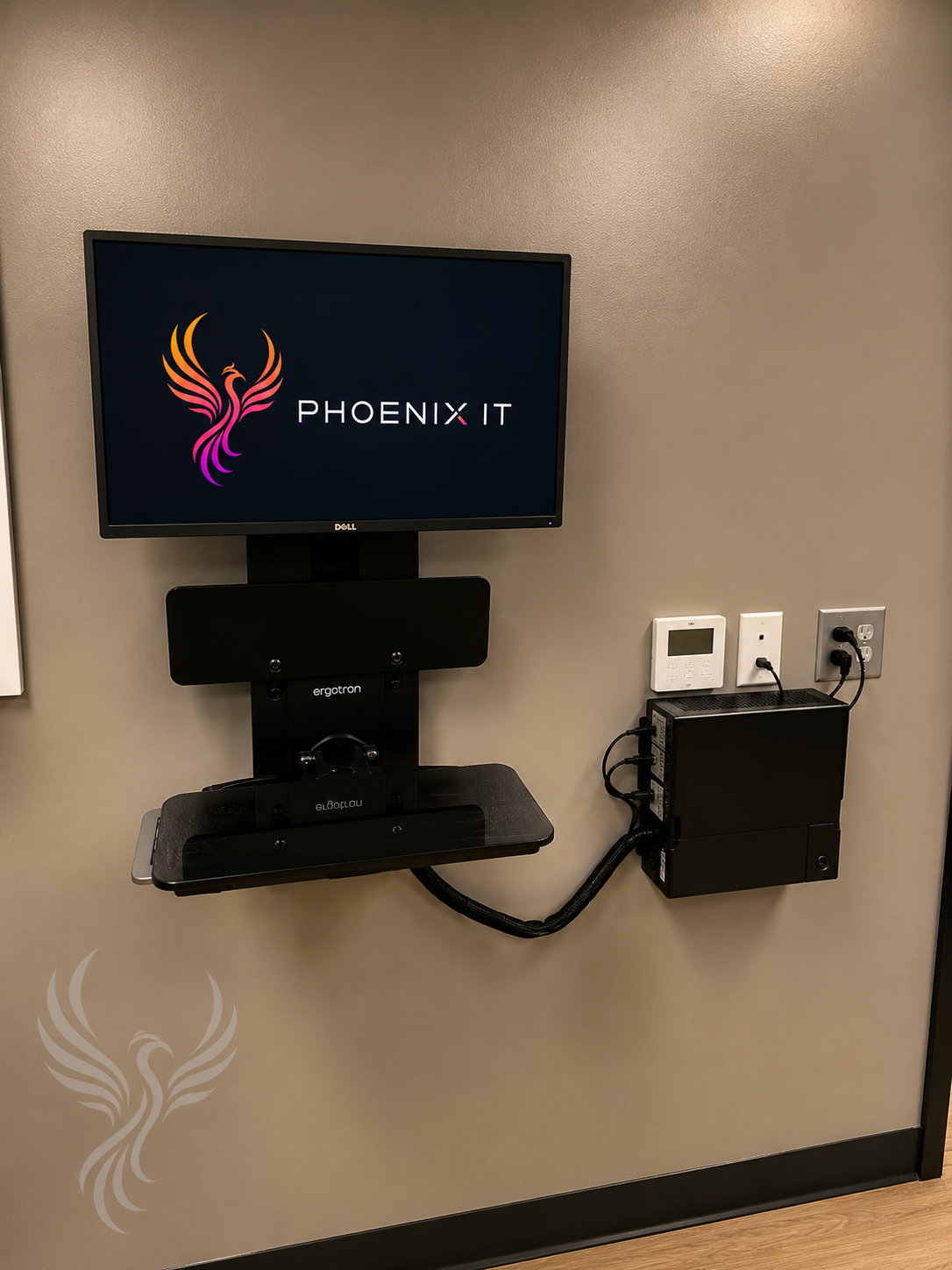
- Monitors, scanners, printers & signature pads
- Wall & chair mounting for clinical rooms
- Space-saving front-desk setups
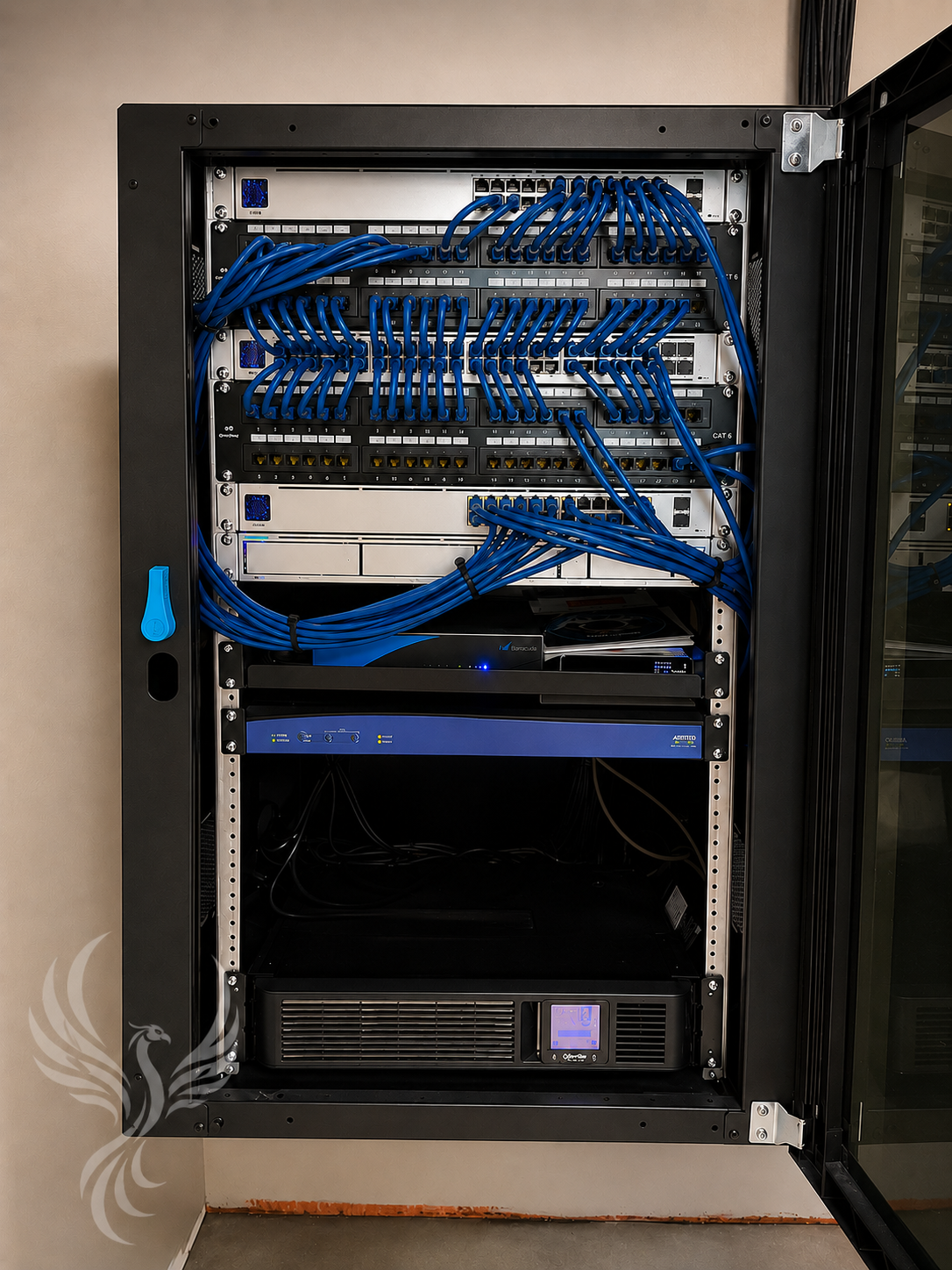
- Structured cabling for new builds & remodels
- Network closets organized, not improvised
- Coordination with contractors & dealers
- Installed & integrated by our own team
- Every op and lane tested before first patient
- Dedicated post-install technician on call
- Rolls straight into 24/7 monitoring & support
- One help desk, no trip charges
- Warranty & vendor claims handled by us
Installed like we have to support it — because we do.
The difference between hardware that’s dropped off and hardware that’s owned: every cabinet we build, we answer for at 7 AM on a Monday.
Opening a new office? Call us before the drywall.
Rooms, runs & requirements
We work from your floor plan with the contractor and equipment dealer: cable drops, power, network closet, mounts, and every op’s equipment list.
Cabling & infrastructure
Structured cabling installed and labeled while the walls are open — the cheap time to do it right.
Systems in, tested
Servers, workstations, firewall, Wi-Fi, phones, and peripherals installed, integrated with your software, and tested room by room.
Shakedown support
A dedicated technician on call for the hiccups, so your team’s first week is about patients, not printers.
Their support has helped us avoid unnecessary equipment replacement costs and focus our resources where they matter most — our patients and continued growth.
Right-spec’d hardware cuts both ways: we build new systems that last, and we rebuild the workstations behind “obsolete” diagnostic equipment. For Visionary Eye Care’s 11 clinics, that meant keeping three specialty machines in service — over $270,000 in capital redirected to patient care.

Hardware questions, answered.
Do you sell hardware, or just install it?
Both. We spec, source, assemble, and configure servers, workstations, firewalls, and peripherals matched to your practice management and imaging software — then install them and support them for their whole working life. No drop-shipped boxes left at the front desk.
Can you work with our contractor on a new build or remodel?
Yes — that’s the best time to call us. We coordinate directly with your contractor, equipment dealer, and software vendors on cabling runs, op layouts, power, and network closets so opening day is boring.
Why custom-built systems instead of off-the-shelf computers?
Practice software and imaging have specific demands — database performance, imaging storage, sensor compatibility — that retail machines aren’t built for. Right-spec’d hardware costs less over its life because it doesn’t choke in year two.
Do we have to replace everything at once?
No. We plan hardware lifecycle in phases around your budget: what’s genuinely end-of-life now, what can be extended, and what’s worth future-proofing. We’ve saved clients six figures by rebuilding around equipment others condemned.
What happens after installation?
We stay. Post-install, a technician is assigned to shake out the hiccups, and every piece of installed hardware rolls into our monitoring and support — one number for everything, no trip charges.
Can you mount monitors and equipment in operatories and exam rooms?
Yes — wall mounts, chair mounts, and space-saving workstation setups for clinical rooms, sized to how your team actually moves during patient care.
Planning new hardware or a new office?
Bring us the floor plan, the wish list, or the aging server — we’ll spec it plainly, quote it honestly, and install it like we have to live with it. Because we do.
Related services
From the resource library
Next step
See where your practice stands in ten minutes — no scanning, no obligation.
Take the cybersecurity assessmentTalk with a healthcare IT specialist